
Screenshots
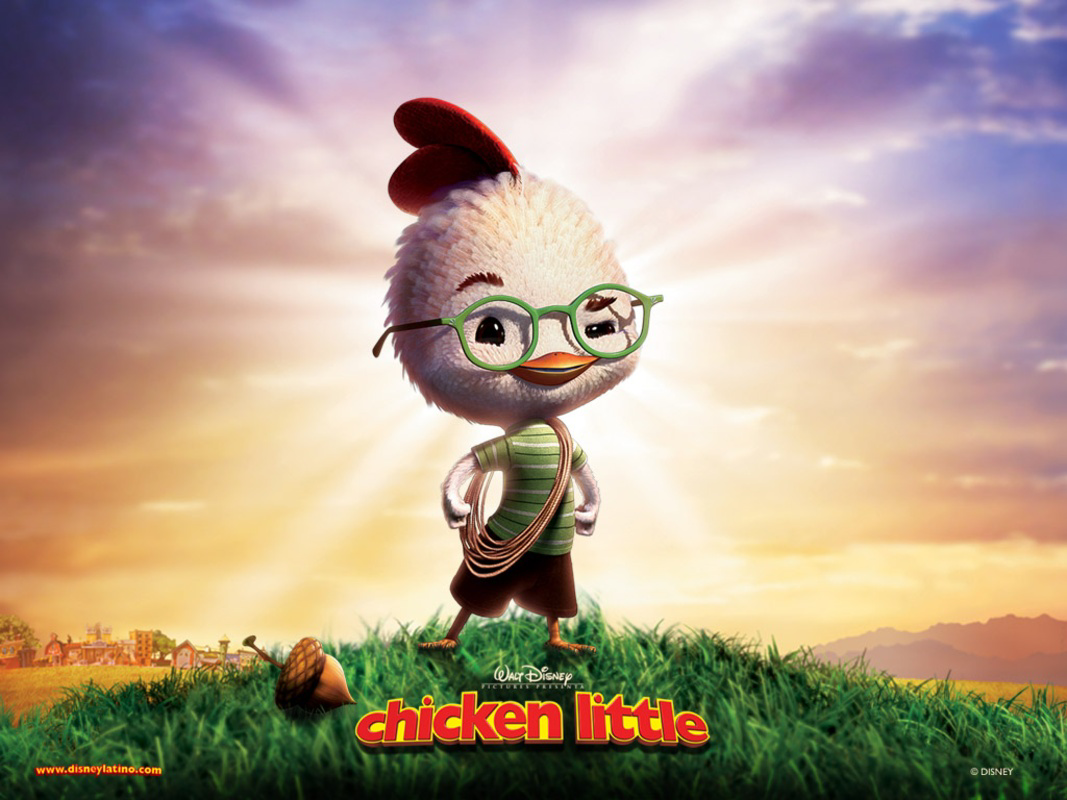
App details
- Updated
- Nov 18, 2005
- Language
- Spanish,English
- Developer
- Disney
- Category
- Mobile
SoftPas in:
This product is also available in the following languages:
About Chicken Little 2005
Download Chicken Little 2005 – Disney, animation, movie, adventure, kids, family, fun
Overview
The mobile app Chicken Little 2005 is a digital extension of the animated film released by Walt Disney Studios in 2005. Designed primarily for younger audiences, the app brings the playful spirit and adventurous tone of the original movie into a mobile experience. It serves as a digital companion for fans of the film, offering interactive content that aligns with the story’s themes of courage, friendship, and imagination. The app is particularly useful for children and families seeking engaging, screen-based entertainment that mirrors the whimsical world of Chicken Little, the small chicken who believes the sky is falling.
Target users include children aged 4 to 10, as well as parents and caregivers looking for age-appropriate, non-violent content. The app supports family bonding through shared play sessions, making it a suitable tool for quiet time, travel, or educational screen breaks. While the developer did not provide additional technical details about the app’s development background, its association with Walt Disney Studios suggests a focus on brand-consistent storytelling and child-friendly design.
Within the mobile entertainment ecosystem, Chicken Little 2005 holds a niche role as a retro-themed app tied to a major animated release. Though not a mainstream productivity tool, it contributes to the broader landscape of branded children’s apps that blend entertainment with narrative engagement. Its presence reflects the strategy of leveraging movie franchises to extend audience reach through mobile platforms.
Key Features & Functionality
- Interactive Story Mode – Allows users to follow key scenes from the movie, making choices that influence the outcome of mini-adventures, encouraging engagement and narrative comprehension.
- Character Exploration – Users can unlock and interact with main characters such as Chicken Little, Abby, and Runt, learning fun facts and hearing voice clips from the original film.
- Mini-Games – Includes simple, touch-based games like “Sky Rescue” and “Barnyard Dash,” designed to develop hand-eye coordination and quick decision-making in a safe, colorful environment.
- Animation Gallery – Features concept art, character designs, and scene stills from the movie, providing a visual archive for fans and aspiring animators.
- Soundtrack Access – Offers audio clips from the movie’s original score and popular songs, allowing users to enjoy the music offline and enhance mood-based play.
Each feature is tailored to support active engagement. For example, the interactive story mode helps children practice sequencing and cause-effect reasoning by letting them decide how Chicken Little responds to challenges. The mini-games promote motor skills development, while the animation gallery serves as an educational resource for young fans interested in visual storytelling. These functions are especially valuable during long car rides or quiet afternoons, offering structured fun without excessive screen time.
Interface, UX & Performance
The user interface of Chicken Little 2005 reflects the cartoonish, bright aesthetic of the original film. The layout uses large, colorful buttons, animated transitions, and playful sound effects to maintain a child-friendly atmosphere. Navigation is straightforward, with a central menu that organizes content into clearly labeled sections such as “Games,” “Stories,” and “Gallery.”
Menus are accessible with minimal taps, and the app avoids complex layers, ensuring that even young users can operate it independently. The visual design remains consistent across screens, with character icons and background themes reinforcing the movie’s setting. Although the developer did not list formal performance metrics, the app appears to run smoothly on devices with standard Android capabilities, with responsive touch feedback and minimal lag during gameplay.
Stability is maintained through simple, well-tested mechanics. The app does not require intensive processing power, which supports compatibility across a range of Android devices. Users can expect consistent performance during extended play sessions, though the lack of official system requirements means compatibility may vary on older or low-end hardware. Overall, the UX prioritizes accessibility and enjoyment over advanced functionality.
Platform Compatibility & Technical Requirements
Chicken Little 2005 is available exclusively on the Android platform. The app has a file size of 128 MB, which is moderate for a mobile application with multimedia content. It was released on November 8, 2005, making it one of the earlier branded mobile apps tied to a major animated film.
The developer did not specify minimum OS requirements or device compatibility details. As such, users should be aware that the app may not function optimally on modern Android versions without compatibility layers or emulators. The absence of version-specific requirements suggests that the app was designed for the early Android ecosystem, which may limit its usability on current devices.
Pros and Cons
Pros
- Free to download and use, making it accessible to a broad audience.
- Child-friendly design with intuitive navigation and bright visuals.
- Offers interactive content tied to a beloved animated movie.
- Includes educational elements such as storytelling and basic motor skill development.
- Compact file size of 128 MB reduces storage strain on devices.
Cons
- Limited compatibility with modern Android systems due to its 2005 release date.
- No official information on minimum OS or device requirements.
- May lack updates for current security standards and screen resolutions.
- Content is static and not regularly refreshed.
- Not available on iOS or other platforms.
FAQ
Is Chicken Little 2005 safe for children?
The app is designed for young audiences and contains no violent or inappropriate content. It aligns with Disney’s family-friendly standards, making it a secure choice for children under 10.
Can I install Chicken Little 2005 on my iPhone?
The app is available only on Android. There is no official version for iOS devices.
Does the app require an internet connection?
Most features, including games and media playback, can be used offline. However, some content may require connectivity for updates or additional downloads.
Is the app free to download?
Yes, the app is free to download and use. There are no in-app purchases or advertisements reported.
How can I update Chicken Little 2005?
Since the app was released in 2005 and no updates have been issued, it cannot be updated through standard app stores. Users may need to rely on legacy systems or emulators to access it.
Final Thoughts
Chicken Little 2005 remains a nostalgic digital artifact for fans of the 2005 animated film. While its technical limitations are evident due to its age, the app still delivers on its core promise: fun, interactive entertainment rooted in a beloved story. It is best suited for families revisiting classic Disney content, educators using branded media for storytelling lessons, or collectors of retro mobile apps.
Despite its outdated infrastructure, the app’s simple design, engaging narrative elements, and free access make it a worthwhile download for those interested in the evolution of mobile entertainment. Its focus on creativity, imagination, and child-centered interaction continues to resonate, even in today’s high-tech app landscape.
Download Chicken Little 2005 now and relive the adventure of a small chicken with a big heart.
Guides & Tutorials
How to install Chicken Little 2005
- Click the Download button above.
- Once redirected, accept the terms and click Install.
- Wait for the Chicken Little 2005 download to finish on your device.
How to use Chicken Little 2005
This software is primarily used for its core features described above. Open the app after installation to explore its capabilities.
User Reviews
No reviews yet. Be the first to share your experience.
You may also like
more
Que no te pillen¡
About !Que no te pillen¡Reviewed by Jason A. BilbreyShow MoreShow Less

3D Combat Zone
About 3D Combat ZoneOriginally released in 1983, 3D Combat Zone immerses players...

666: El día del portal
About 666: El día del portalOn June 6, 2006, Agent P. Stone uncovers a sinister...

80 in 1 Best Flash games
About 80 in 1 Best Flash games 80 in 1 Best Flash games is a collection of 80 fl...

ABYSS SEEKERーーWhat Do You See Deep in The Abyss
About ABYSS SEEKERーーWhat Do You See Deep in The AbyssIn ABYSS SEEKER, players...

ACA NEOGEO THE KING OF FIGHTERS 2002 for Windows
About ACA NEOGEO THE KING OF FIGHTERS 2002 for WindowsTHE KING OF FIGHTERS 2002,...